
Quality of Life Mods
Fabric Boosted ships with a curated set of 22 Quality of Life mods that smooth out the rough edges of vanilla Minecraft - from better HUD information and chat tools to faster loading and crash recovery. Everything below is included out of the box, no setup required.
Quick Reference
| Mod | What it does |
|---|---|
| HUD & Overlays | |
| Appleskin | Food, hunger and saturation values |
| Durability Viewer | Armor durability on the HUD |
| Health Indicator TXF | Damage indicator on the HUD |
| Lighty | Light level overlay |
| Ping View | Player ping in the tab list |
| Items & Inventory | |
| Just Enough Items | Item list and recipe viewer |
| Shulker Box Tooltip | Container contents in the tooltip |
| Chat & Social | |
| Chat Heads | Player heads in chat messages |
| Don't Clear Chat History | Chat history survives relogs |
| More Chat History | Longer chat scrollback |
| No Chat Reports | Makes chat unreportable |
| Talk Balloons | Chat bubbles above players |
| Visuals & Rendering | |
| Bobby | Render distance beyond the server's limit |
| Gamma Utils | Fullbright toggle |
| Smooth Skies | Smooth skybox colors |
| Loading & Stability | |
| EpicForceCloseLoadingScreen | Skips the loading terrain screen |
| Fast Quit | Instant world saving in the background |
| Not Enough Crashes | Keep playing after a crash |
| Remove Reloading Screen | Resource packs load in the background |
| Account & Online | |
| Auth Me | In-game account authentication |
| Essential | Friends, world hosting, skins & screenshots |
| Map & Navigation | |
| VoxelMap | Minimap, world map and waypoints |
HUD & Overlays
Mods that put useful information directly on your screen, so you never have to guess.
Appleskin
Ever wondered why your hunger bar has that flickering outline? Appleskin visualizes Minecraft's hidden food mechanics. Hold any food item to see exactly how much hunger and saturation it will restore, complete with a preview of how your hunger and health bars will change after eating. It also adds food values to item tooltips and hunger/saturation/exhaustion info to the debug screen (F3).
Durability Viewer
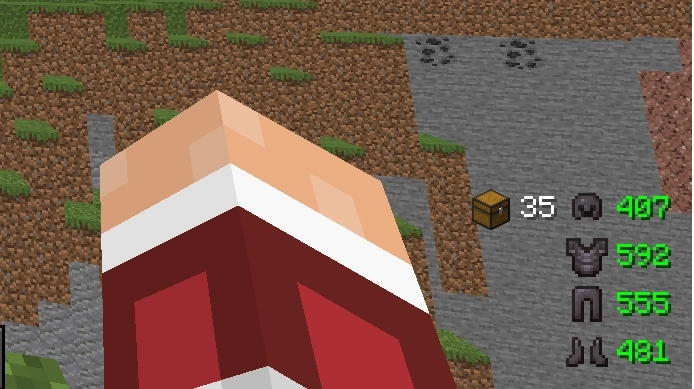
Displays your equipped armor pieces with their remaining durability in bottom right corner, so you know exactly when it is time to repair your gear.
Press H to show or hide the display - see Keybinds and Controls.
Health Indicator TXF
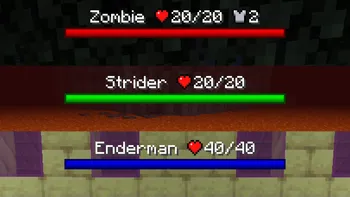
Adds a compact damage indicator to the HUD, letting you keep an eye on your health at all times without looking away from the action.
Lighty
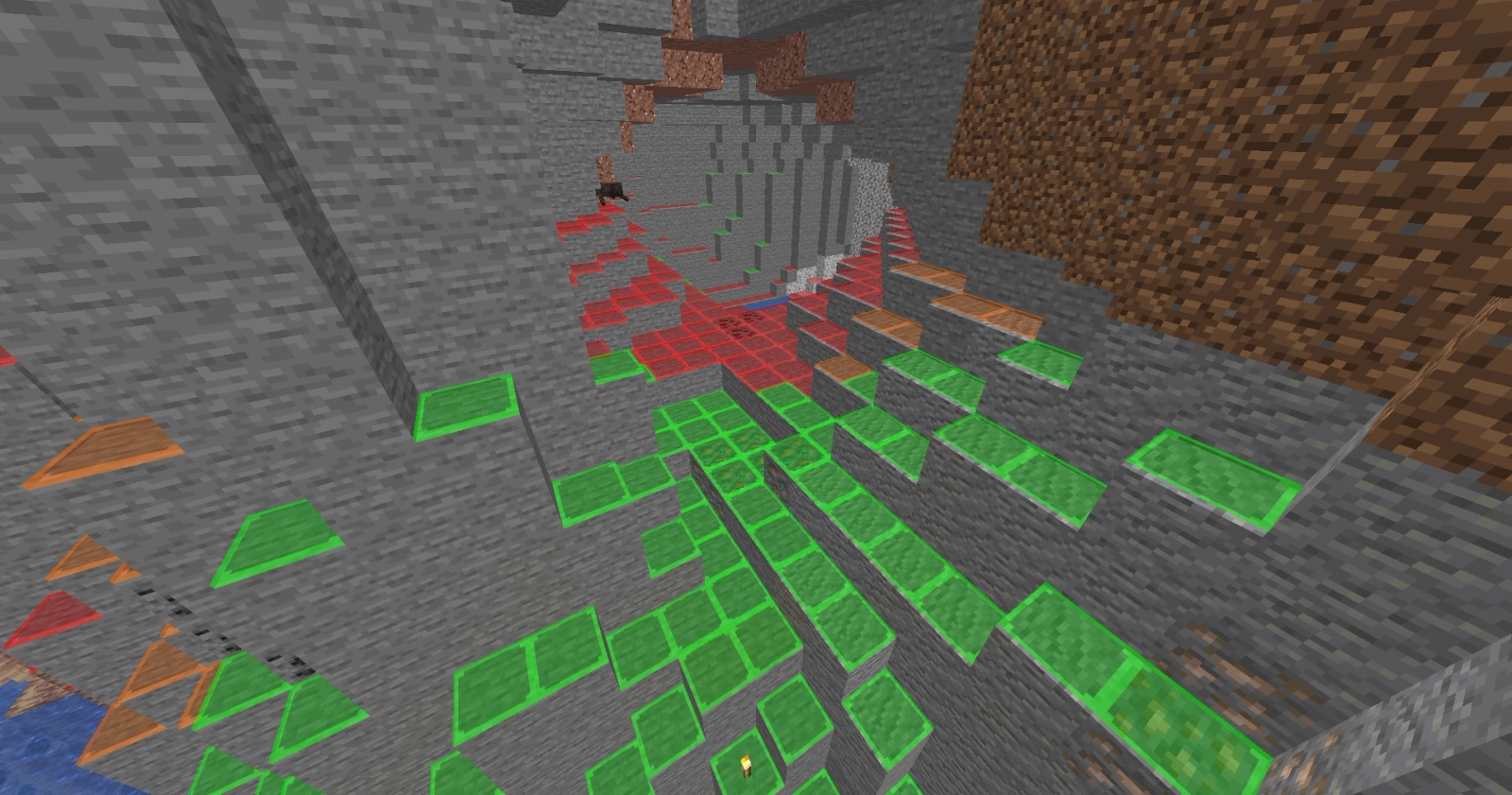
Renders a colored overlay on block surfaces showing whether mobs can spawn there - green means safe, red means a mob could appear. Indispensable for lighting up bases and mob-proofing your builds. Toggle the overlay with L.
Ping View
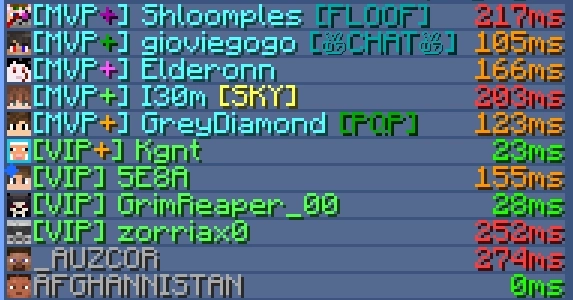
Shows each player's ping as a number in the tab list, so you always know who is lagging - useful when playing on servers.
Items & Inventory
Better ways to browse items, recipes and containers.
Just Enough Items
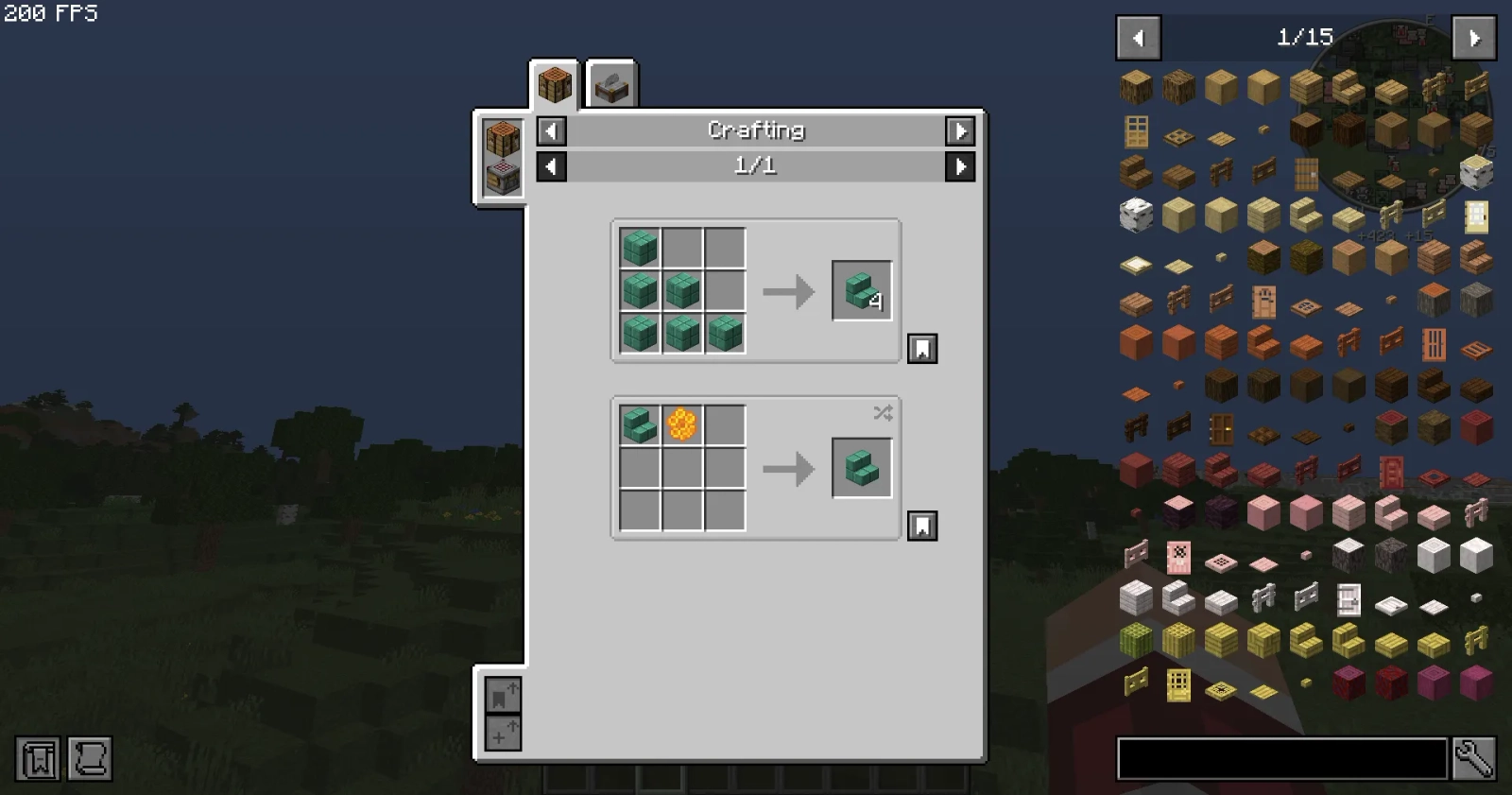
The classic recipe viewer. Every item in the game is one keystroke away: open your inventory and the item list appears on the right. Click any item to see how it is crafted, press U (or right-click) to see what it is used in, and press R on a result to jump back to its recipe. Supports search by name and mod with @ filters.
Shulker Box Tooltip
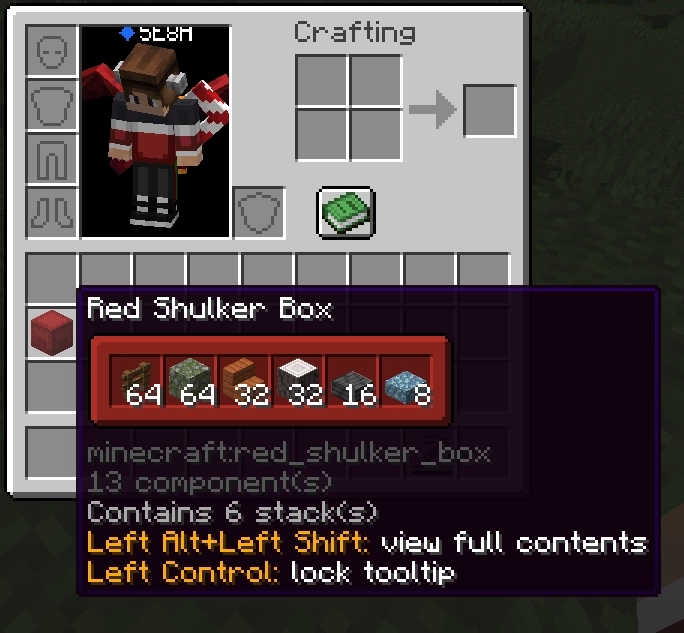
Hover over any shulker box (or other container item) to preview its contents without placing it down. Great for organizing storage rooms and checking what is inside boxes in your ender chest or inventory. Multiple preview layouts are available in the config.
Chat & Social
Tools that make multiplayer communication nicer and safer.
Chat Heads
Shows the skin head of each player next to their chat messages, so you can tell at a glance who is talking even when several people chat at once.

Talk Balloons
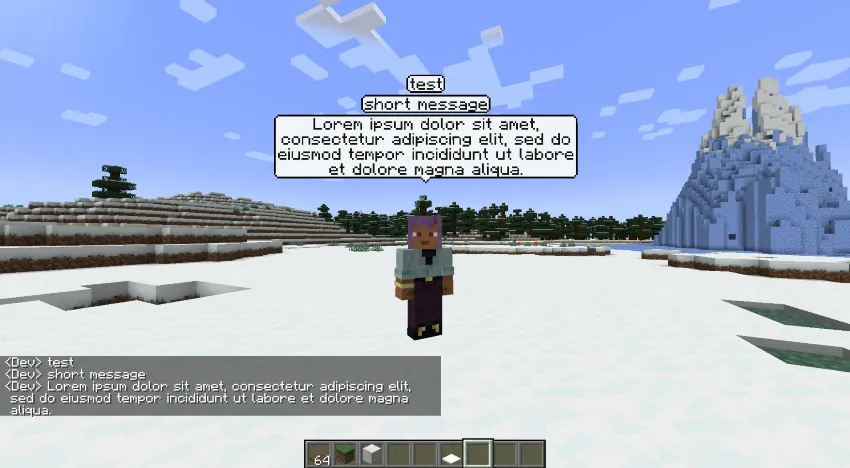
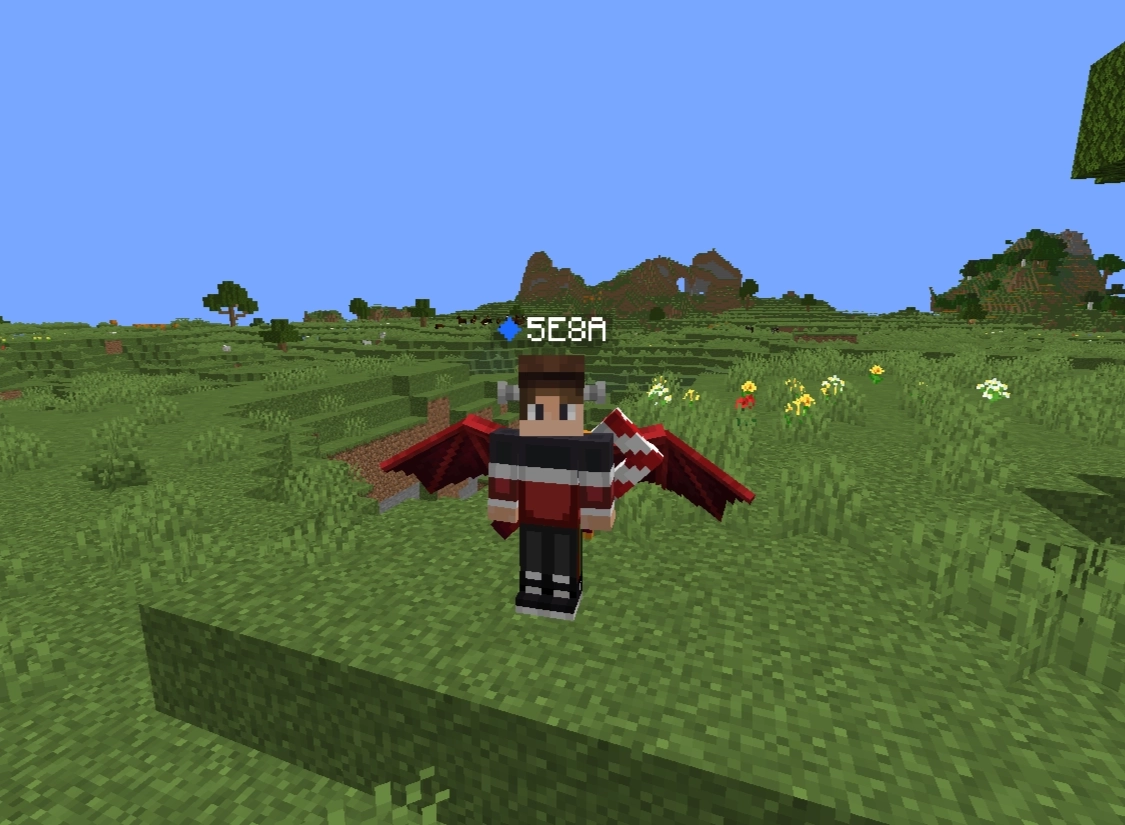
When you type in chat, your message also appears in a speech bubble above your character's head - perfect for communicating without opening the chat log.
More Chat History
Vanilla Minecraft only keeps the last 100 chat messages. This mod dramatically increases that limit, so you can scroll back through much longer conversations.
Don't Clear Chat History
Normally your sent chat history is wiped whenever you relog or disconnect. This small tweak keeps it intact, so pressing up in chat still recalls everything you wrote.
No Chat Reports
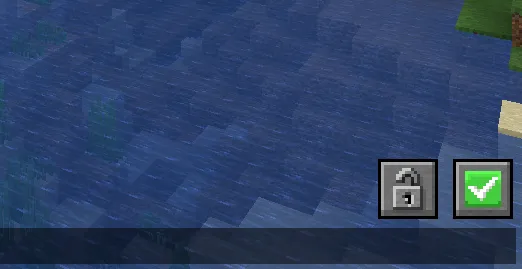
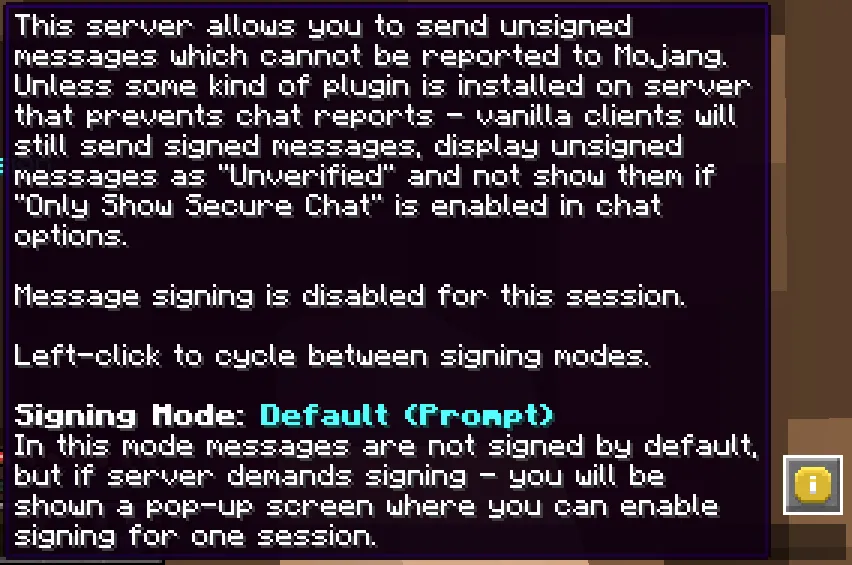
Disables chat message signing, which makes your messages impossible to report through Minecraft's chat reporting system. Adds small status icons to the chat so you always know whether the server you are on is protected.
Visuals & Rendering
Squeeze more out of your graphics settings.
Bobby
Lets you see much further than the server's view distance allows. Bobby stores chunks the server has already sent you and keeps rendering them beyond the view-distance limit, effectively giving you a huge render distance on any server. Works great together with Nvidium (see Performance Tweaks).
Gamma Utils
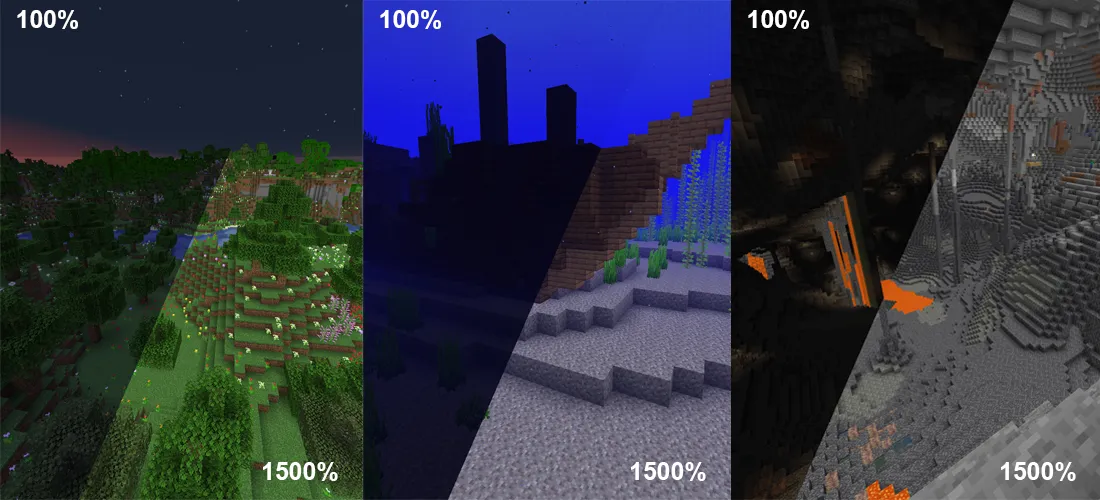
Raises the game brightness far beyond the vanilla slider. Toggle fullbright instantly with G - perfect for caving without torch-spamming. The gamma slider goes up to 1500% and optional night vision and smooth transitions are available in the config.
Smooth Skies
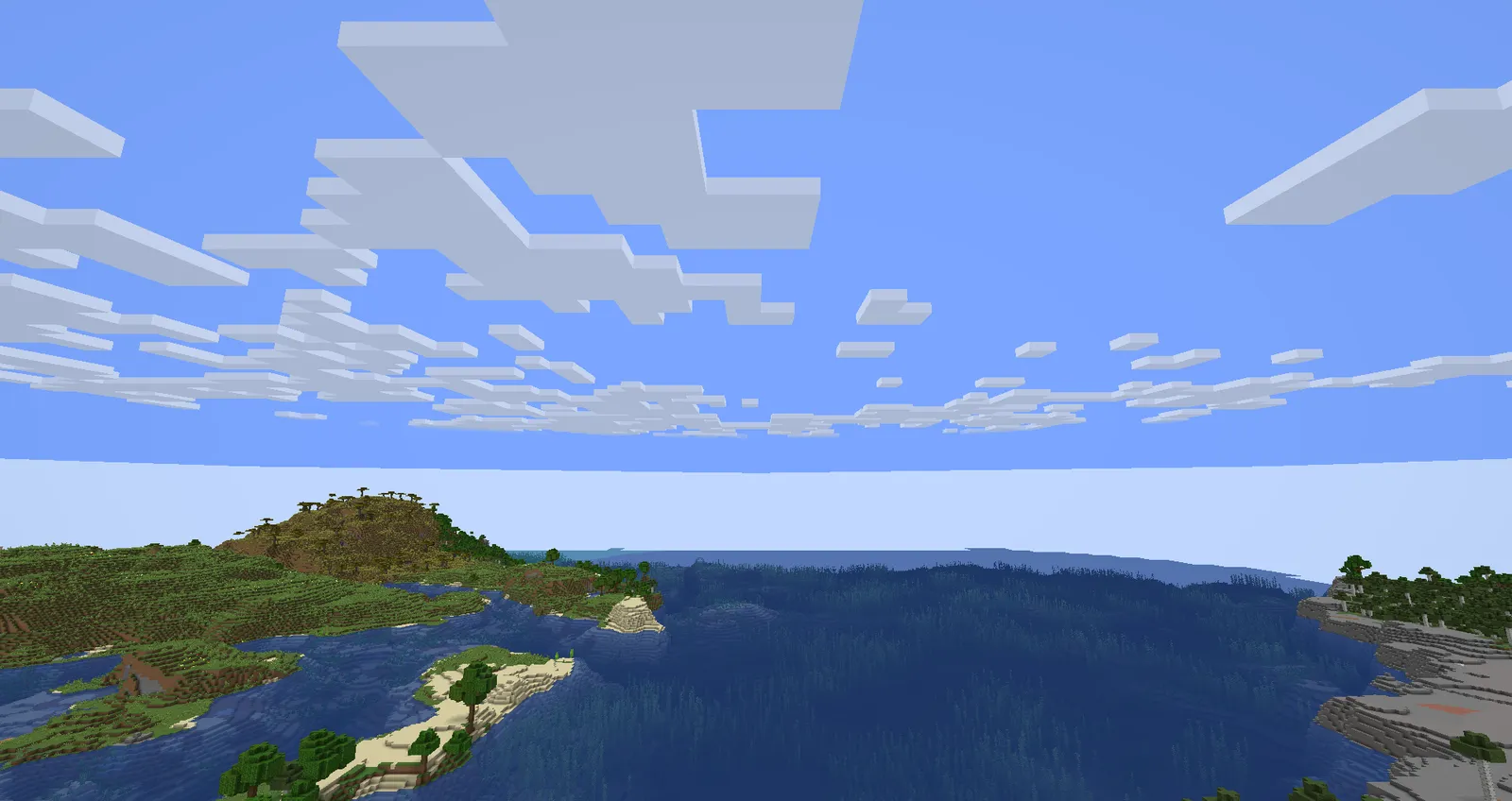
At high render distances the vanilla skybox shows a harsh line between the blue sky and the white horizon fog. Smooth Skies blends those colors into a clean gradient and also fixes sky rendering issues at low render distances.
Loading & Stability
Get into your world faster and survive crashes gracefully.
Fast Quit
Quitting a world used to freeze the game until the save finished. With Fast Quit the save runs in the background while you return straight to the main menu - you can even rejoin the same world immediately.
EpicForceCloseLoadingScreen
Cuts the "Loading terrain..." screen the instant your world is ready instead of waiting for the animation, shaving seconds off every single world join.
Remove Reloading Screen
Resource pack reloads normally lock up the whole screen with a loading overlay. This mod makes the reload happen behind a translucent overlay so you can keep watching your game while packs load.
Not Enough Crashes
When the game crashes, you no longer lose everything. Instead of dumping you to the launcher, Not Enough Crashes catches the error, lets you return to the title screen (or straight back into your world) and keeps playing. It also produces detailed crash reports that point at the offending mod.
Account & Online
Accounts, friends and playing together.
Auth Me
If your Microsoft session expires, Auth Me lets you re-authenticate your account from inside the game - including offline-mode accounts - without restarting Minecraft or fiddling with the launcher.
Essential
An all-in-one social layer: add friends, send DMs, host your singleplayer worlds for others to join (see World Hosting), manage skins with the wardrobe, take and share enhanced screenshots, and customize your look with free cosmetics.
Map & Navigation
Never get lost again.
VoxelMap
A full mapping suite: a minimap in the corner of your screen, a fullscreen world map (M), and unlimited waypoints (N) that render in-world so you can navigate home, to that village, or to your friend's base. Zoom the minimap with Z and toggle the fullscreen map with X.
More keybinds can be found in Keybinds and Controls.